Why The Text Works
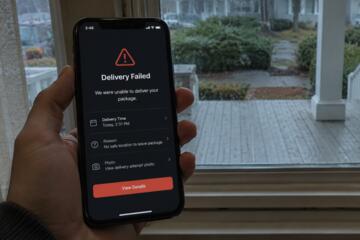
The scam succeeds because it borrows urgency from real life. Most people already receive legitimate fraud alerts from banks, password reset notices from apps, and security warnings from online stores. A fake text slides into that stream and feels familiar enough to trust.
The messages are usually short. “Your account has been locked.” “Suspicious activity detected.” “Verify now to avoid closure.” The wording avoids detail on purpose. Vagueness lets the target fill in the blanks.
That panic arrives fast.
The Federal Trade Commission reported that Americans lost more than $470 million to text scams in 2024, more than five times the losses reported in 2020. Smishing — phishing by SMS — keeps growing because text messages still feel more personal than email. People ignore spam folders. They answer texts during dinner.
Scammers also exploit timing brilliantly. A fake Netflix billing alert lands near the first of the month. A false USPS delivery text arrives during holiday shopping season. Fake bank warnings hit Friday afternoons, when customer service lines are harder to reach and people are distracted thinking about the weekend.
How The Trap Unfolds
Most “account locked” scams follow the same pattern, though the branding changes constantly. The text arrives first. Then comes the fake website. Then the rush.
A message pretending to come from Chase might say your debit card was frozen after suspicious purchases. An Apple ID scam may claim someone tried signing in from another country. The text includes a link and a deadline, often 24 hours or less.
That deadline matters.
Clicking the link sends victims to a counterfeit login page that often looks nearly identical to the real company site. Logos match. Fonts match. Some fake pages even copy customer support phone numbers and footer links from legitimate brands.
Then the criminals collect credentials piece by piece. Username. Password. Card number. ZIP code. Sometimes a one-time security code sent through real two-factor authentication systems.
The victim thinks they are confirming identity. In reality, they are handing attackers the final key needed to enter the real account.
Some scams go further. After entering information online, the target receives a phone call from a fake fraud department employee who sounds calm, patient, professional. The caller ID may even display the bank’s real phone number through spoofing technology.
That part fools people.
How To Stay Ahead
Never trust links in texts
This rule catches most scams before they begin. If a bank or retailer claims there is a problem, open the official app manually or type the website yourself.
Real banks already have secure apps installed on your phone. They do not need you logging in through a random shortened link sent by SMS at 11:48 p.m.
Ignore convenience here. Convenience is what the scam depends on.
Look for strange domains
Fake websites often hide behind addresses that look almost correct. Instead of chase.com, the page might use chase-alerts247.com or secure-amazonverify.net.
Small differences matter. One extra dash. A strange ending like .top or .ru. Sometimes the site uses random strings of letters because scammers create thousands of disposable domains every month.
Slow down before tapping.
Use app-based authentication
SMS verification codes still work better than no security at all, but authenticator apps create a stronger barrier. Google Authenticator, Authy, and Microsoft Authenticator reduce the chances of attackers intercepting codes through SIM-swapping scams.
SIM swapping has exploded in recent years. Criminals trick mobile carriers into transferring your phone number onto another device, then intercept security codes tied to bank accounts and crypto wallets.
One stolen number can wreck a week.
Call the company directly
Do not trust the phone number inside the text message. Even if it looks official.
Use the number printed on the back of your debit card or listed inside the company’s real app. Large banks like Wells Fargo, Citi, and Bank of America now warn customers repeatedly that fraud teams will never ask for passwords or one-time passcodes over the phone.
Scammers know those warnings too. That is why many callers now sound oddly patient instead of aggressive...
Turn on account alerts
Real-time transaction notifications create a second layer of defense. If someone accesses your account after stealing credentials, you see activity almost immediately.
Most banking apps now support alerts for purchases over custom dollar amounts, international transactions, password changes, and login attempts from new devices. Set them all.
The extra buzzes are annoying. Losing $4,200 overnight is worse.
Freeze your credit after attacks
If you entered personal data into a fake site, act quickly. Contact your bank first. Then place freezes with Equifax, Experian, and TransUnion.
A credit freeze blocks criminals from opening new accounts in your name. The process usually takes under 15 minutes online and costs nothing in the United States.
Move fast after mistakes. Delay helps scammers more than it helps pride.
Teach older relatives directly
Older adults lost nearly $3.4 billion to fraud in 2023, according to FBI Internet Crime Complaint Center data. Text scams work well against retirees because many still treat SMS messages as more trustworthy than social media or email.
Do not send vague warnings like “be careful online.” Show real examples. Sit beside them for 10 minutes and walk through fake messages together. The pattern becomes obvious once someone sees three or four versions side by side.
Fear fades after practice.
What Real Cases Show
In early 2025, customers across several major U.S. banks reported waves of fake fraud texts followed by spoofed phone calls. Victims described nearly identical scripts. First the text warned of suspicious charges. Then a “fraud specialist” called within minutes and asked the customer to confirm login codes supposedly needed to secure the account.
One Arizona victim interviewed by local news lost more than $9,000 after reading back two-factor authentication codes over the phone. The criminals transferred money through peer-to-peer payment services before the bank could intervene.
The speed shocked him.
Another case involved fake Apple ID alerts sent during a real iCloud outage. Because people were already receiving legitimate login notifications, the scam blended into existing confusion. Security researchers later found hundreds of phishing domains registered within 48 hours using Apple-related names.
Scammers watch headlines carefully. If a service outage, breach, or security story dominates the news cycle, fake account alerts usually follow within days.
Red Flags Checklist
| Sign | Risk | Action | Speed |
|---|---|---|---|
| UrgentText | High | Ignore link | Now |
| OddDomain | High | Exit page | Fast |
| CodeRequest | Critical | Hang up | Instant |
| SpoofCall | High | Call bank | SameDay |
Common Mistakes People Make
The biggest mistake is reacting emotionally before verifying anything. Panic narrows attention. That is exactly what the scammers want.
Another common problem is trusting caller ID. Modern spoofing systems let criminals imitate legitimate phone numbers easily. Seeing “Bank of America” on a screen proves almost nothing now.
People also underestimate how polished fake websites have become. Ten years ago, phishing pages looked sloppy and broken. Today many are nearly perfect copies built within hours using stolen design templates.
The scams got smarter.
Victims also delay reporting incidents because they feel embarrassed. That hesitation gives attackers more time to transfer money, reset passwords, and target linked accounts.
If something feels wrong, move immediately. Freeze cards. Change passwords. Contact institutions directly. Fast action limits damage far more effectively than trying to quietly “monitor the situation” for a few days.
FAQ
What is a “your account is locked” text scam?
It is a phishing attack sent through SMS messages. The scam claims an account has been frozen or compromised, then pushes victims toward fake login pages designed to steal credentials and financial information.
Can scammers really spoof bank phone numbers?
Yes. Caller ID spoofing lets criminals display real company numbers on incoming calls. That is why banks advise customers to hang up and call official support numbers directly.
What should I do if I clicked the link?
Change passwords immediately using official websites or apps. Contact your bank or affected service, review recent transactions, and freeze cards or accounts if needed.
Are Android phones or iPhones safer from these scams?
Both platforms face risks because the attack usually depends on human behavior rather than malware. Security filters help, but no phone blocks every phishing message.
Why do scammers ask for verification codes?
Those codes often complete real login attempts happening simultaneously behind the scenes. Once victims share the code, attackers gain full access to accounts.
Author's Insight
I have noticed that the best phishing scams no longer look chaotic or obviously fake. They look calm. Professional. Routine. That change matters because people expect criminals to sound reckless, and modern scammers rarely do.
I now assume every unexpected security text is fake until proven otherwise. That mindset sounds cynical, but it removes the emotional rush scammers rely on. The moment you slow the interaction down, most of these attacks start falling apart.
Summary
The “your account is locked” text scam works by manufacturing urgency and trust at the same time. Criminals imitate banks, retailers, and tech companies closely enough to trick distracted people into giving away passwords, card numbers, and authentication codes.
Do not tap links from unexpected texts. Open apps manually. Call companies through verified numbers only. And if a message pressures you to act within minutes, treat that pressure itself as the warning sign.