Understanding Cloned Websites
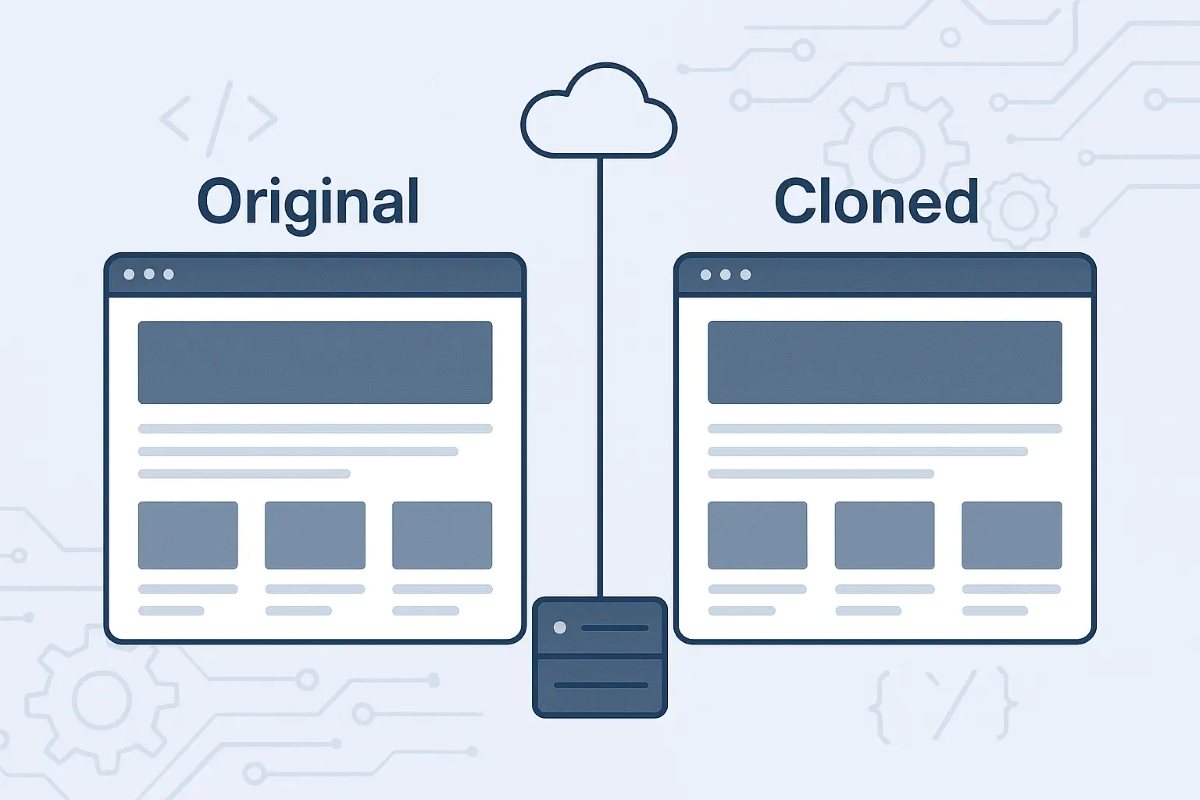
A cloned website copies the look and feel of a legitimate site to trick visitors into thinking they are on the real platform. Examples include fake banking sites or ecommerce storefronts that steal credit card details. Research from the Anti-Phishing Working Group (APWG) noted a 42% rise in phishing sites during 2023, many of which are clones. Identifying these sites demands attention to subtle differences in domain names, content anomalies, and security signals.
For instance, a clone might replace a letter in the domain, like replacing an ""o"" with a zero in the URL, or add a subdomain that misleads, such as secure.example.com.fake-site.com. Fraudsters often duplicate exact text and images to build trust quickly. In some scams, cloned pages even mimic the login process, but with one-click, you lose credentials. Attackers also update clones weekly to avoid detection, making vigilance an ongoing effort.
Common Pitfalls and Risks
Many users mistake any HTTPS lock icon as proof of safety. They ignore that domain spelling is the primary defense. Attackers routinely buy SSL certificates for their clones, as Let’s Encrypt made certificates free for all. Overreliance on browser warnings alone misses many clones.
Ignoring the website’s domain and source of referral can lead to serious data theft or financial fraud. Clones harm business reputation too; one missed phishing page can lead to thousands of compromised accounts or lost customer trust. For example, in 2022, a major e-commerce brand faced a 15% drop in conversions after a cloned site circulated with fake deals.
Detection and Protection Steps
Check the Domain in Detail
Look beyond the primary domain name for subtle changes, extra characters, or alternative endings (.net vs .com). Use WHOIS tools to check registration dates; many clones appear within days before phishing spikes. A domain registered three days ago probably won't belong to a trusted brand.
Use Browser Security Indicators Wisely
Notice the certificate issuer and click the lock icon for details. Legitimate organizations often use Extended Validation (EV) certificates showing the company name clearly, while clones typically don’t. Chrome's February 2024 update—version 112—further hides outdated certificates, catching some clones but not all.
Verify Content Accuracy
Compare text with the official site, watch for spelling errors or unusual grammar. Fraudsters often copy text but may slip up on localized content or updated policies. Check the “About Us” or “Contact” pages; cloned sites sometimes list nonexistent addresses or phone numbers.
Check URLs in Emails and Links
Hover over links before clicking; phishing attacks often come via email or ads with URLs that don’t match the claimed company. Tools like VirusTotal let you scan suspicious links instantly. A URL with extra subdomains or lengthy strings is usually suspicious.
Use Digital Reputation Services
Services such as Google Safe Browsing, Norton Safe Web, or URLVoid scan and classify websites. They rely on user reports and heuristic rules to flag clones or phishing sites. If a site scores poorly on multiple platforms, avoid interaction.
Analyze Site Performance and Hosting
Clones often run on cheap, shared hosting with slow load times. Use tools like Pingdom or GTmetrix to compare site speed; a slow lookalike can raise suspicion. Checking hosting via tools like IPinfo sometimes reveals ties to suspicious providers or countries unrelated to the official company.
Consult Brand Alerts and Official Sources
Many companies maintain public warning pages listing known phishing or cloned sites using their name. Subscribe to these alerts or monitor brand mentions on Twitter, Reddit, or security forums. The FBI’s IC3 also publishes scam updates that include cloned site incidents.
Enable 2FA and Monitor Accounts
For users, enabling two-factor authentication (2FA) helps reduce risk if credentials leak through phishing sites. Beyond spotting clones, 2FA cuts off attacker access even with stolen passwords. Check bank or service accounts regularly; unexpected logins may signal a clone attack.
Report Suspected Sites
Reporting to organizations like Google, Anti-Phishing Working Group, or the targeted brand assists faster takedown and awareness. Many domains linger for months otherwise, fooling successive waves of visitors. Your report sparks action.
Real-World Cloning Cases
Example 1: A mid-size European bank suffered over 1,200 compromised accounts in early 2023 after attackers cloned the login page using a domain nearly identical to theirs. The bank quickly issued warnings, took down the clone within 48 hours, and improved their customer education program, reducing similar incidents by 60% afterwards.
Example 2: A popular online retailer in the US detected fake checkout pages hosted on a third-party domain during their 2022 holiday sales. The cloned site stole thousands of credit card numbers. After swift security upgrades including link validation and two-step URL scanning, fraudulent attempts dropped by 85% the following year.
Spotting Guide
| Check | Warning Signs | Tool Example | Expected Outcome |
|---|---|---|---|
| Domain Check | Misspelled or long URL | Whois Lookup | New or odd registration |
| SSL Certificate | No EV or mismatched owner | Browser lock icon | Issuer mismatch |
| Content Review | Typos or outdated text | Manual comparison | Inconsistent info |
| Link Scanner | Flagged or suspicious domain | VirusTotal | Alert or clean |
Common Errors to Avoid
Ignoring subtle details is costly. People often assume HTTPS means trust, but many clones have free SSL certificates. Never enter sensitive info without double-checking the domain spelling and certificate data.
Also, bypassing official apps in favor of links shared on social media is a frequent mistake. Apps often use internal verification that cloned web links skip. Another trap is solely relying on email headers; attackers spoof sender info cleverly and. focus on content clues instead.
Failing to update antivirus and browser plugins limits detection capabilities. Outdated tools miss many phishing signatures, so regular updates matter. Lastly, overlooking the need to report suspicious sites slows takedown speed, letting clones persist longer.
FAQ
How can a fake site have HTTPS?
Cloned sites get free certificates from providers like Let’s Encrypt, which verifies domain control automatically. HTTPS only encrypts traffic, it doesn’t prove legitimacy.
What tool is easiest for non-tech users?
Google Safe Browsing lets you quickly check suspicious URLs by pasting links into its transparency report online.
Do browser warnings catch all clones?
They catch many but not all. Attackers often use valid certificates or updated domains that bypass warnings initially.
Why check WHOIS info?
WHOIS shows domain age and registrant details. New domains or privacy protections hint at potential scams.
Is 2FA effective against cloned sites?
2FA protects accounts even if passwords are stolen. But beware of advanced phishing that targets tokens too.
Author's Insight
I’ve seen reputable brands lose thousands in hours due to cloned sites. Regular end-user training makes a difference. Always treat unexpected links skeptically. Tools like VirusTotal and Chrome’s certificate info should become second nature to check. Avoid rush decisions. At a past employer, we caught a clone because of a misspelled domain, despite a perfect-looking site—small details matter.
What to Remember
Spotting clones means scrutinizing URLs, certificates, and content closely. Combine manual checks with automated tools, verify domain registration, and keep software updated. Don’t trust HTTPS blindly. Report suspicious sites promptly. Regular vigilance cuts risk and protects data — your own or your customers’. No one clicks blindly here.