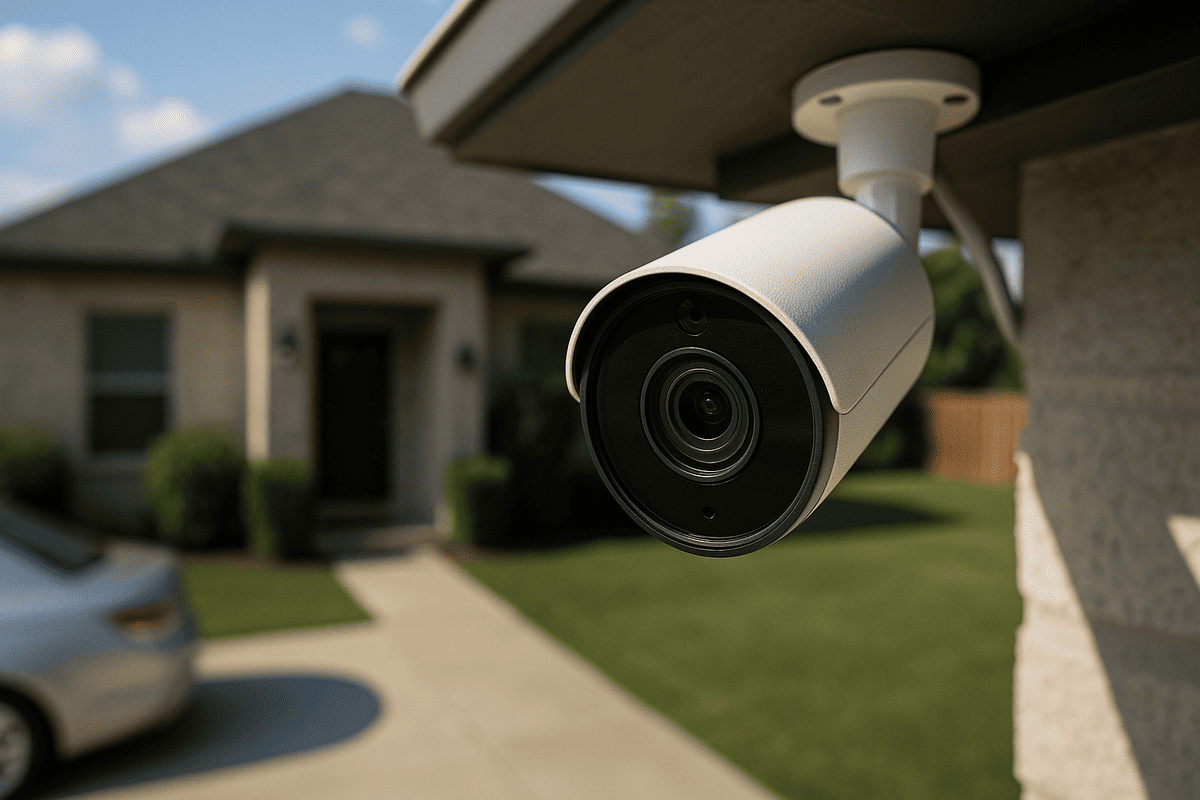
This is an illustrative scenario designed to explain the decision process; it is not presented as a documented personal experience.
Home security decisions often start with a simple goal: deter theft, capture useful evidence, and reduce uncertainty when a vehicle is parked outside. In this case study, a household installs a budget home security camera with the expectation that it will “just work” and provide clear footage if something happens near the driveway. The scenario evaluates what typically changes after installation—especially when the camera is inexpensive, Wi-Fi dependent, and configured with limited attention to mounting, power, and privacy.
Starting situation
A family parks one or more vehicles at home, including a driveway-facing spot where packages, doors, and vehicle surfaces are visible from the street. The household’s main concern is not a high-tech system; it is the ability to document incidents and discourage opportunistic behavior. They choose a budget camera because it appears to offer basic motion detection, night vision, and a mobile app.
Goal
The goal is practical: after installation, the camera should reliably detect motion in the driveway area, record usable clips, and send alerts that are not so frequent that they get ignored. A secondary goal is to avoid creating new problems—such as privacy issues, unreliable connectivity, or power-related downtime—that could reduce the camera’s usefulness when it matters.
Constraints and risks
Budget cameras introduce constraints that can directly affect outcomes:
- Wi-Fi reliability: Many inexpensive cameras rely on 2.4 GHz Wi-Fi and can struggle with weak signal, interference, or router placement.
- Power and weather exposure: Outdoor installations require weather-appropriate mounting and power routing; power interruptions can create blind periods.
- Field of view and mounting height: A camera that is technically “installed” may still miss the most relevant angles (license plates, faces, or the path a person takes).
- Privacy and compliance: Cameras aimed toward neighboring property or public sidewalks can create legal and community issues depending on local rules.
- Alert quality: Budget motion detection can be sensitive to shadows, insects, passing headlights, or moving tree branches.
These constraints matter for automotive-adjacent security because a camera that produces too many low-quality alerts is likely to be ignored, and a camera that records the wrong angle may not help when a vehicle is involved.
Initial plan (and why it seemed reasonable)
The initial plan is straightforward:
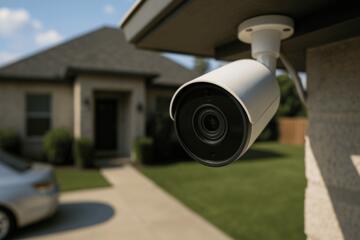
- Unbox and mount the camera near the driveway, aiming toward the area where vehicles are parked.
- Connect it to home Wi-Fi through the app.
- Enable motion detection and set up notifications.
- Rely on the camera’s built-in night vision to cover evening incidents.
This plan seems reasonable because most consumer cameras advertise “easy setup,” and the app typically provides guided configuration. The assumption is that once the camera is online, it will capture relevant events with minimal tuning.
What was done or what the scenario evaluates
Because this is an illustrative scenario, the “actions” are described as a decision process rather than observed outcomes from a specific household. The scenario evaluates the most common post-installation checks that determine whether a budget camera actually helps:
- Angle and coverage check: The camera is reviewed for whether it can capture the driveway approach and the vehicle area from a useful perspective. If the camera is too high or too wide, it may record motion but not details.
- Night performance expectations: The scenario considers how infrared night vision can wash out faces or license plates at certain distances, especially if the camera is aimed at reflective surfaces.
- Connectivity stress test: The camera’s reliability is assessed during typical conditions—such as router distance, interference, and times when the household’s Wi-Fi is busiest.
- Alert tuning: Motion zones and sensitivity are adjusted to reduce false alerts while still catching meaningful movement.
- Power continuity: The scenario checks whether the camera remains online across outages or brief power interruptions.
At this point, the scenario also connects to automotive maintenance thinking: just as a vehicle’s reliability depends on correct installation and ongoing checks, a camera’s usefulness depends on correct placement and periodic verification. For related vehicle-adjacent guidance, see how to choose and maintain a dash cam for parking scenarios.
Complications, trade-offs, and failed assumptions
The scenario highlights several common complications that can appear after installing a budget camera:
1) “Installed” does not mean “useful coverage”
A frequent assumption is that aiming the camera at the driveway automatically covers the important details. In practice, budget cameras often have limited resolution and wide lenses that can make license plates hard to read. If the camera is mounted too far from the target area or at an angle that captures mostly the ground, the footage may show that something happened without showing what it was.
2) Alerts become noise
Motion detection can be overly sensitive. In the scenario, the household may receive frequent notifications from passing headlights, moving shadows, insects, or nearby vegetation. When alerts become constant, people tend to stop checking them promptly, which reduces the camera’s practical value.
3) Wi-Fi dropouts create blind spots
Budget cameras can disconnect when Wi-Fi signal is weak or unstable. Even short dropouts can mean missing the exact moment an incident occurs. This is especially relevant if the camera is installed at the edge of Wi-Fi coverage or if the router is behind thick walls.
4) Night vision limitations
Infrared night vision can be effective for general presence detection but may struggle with fine details at distance. If the camera is aimed toward reflective surfaces (such as glossy vehicle paint or bright driveway lighting), the image can become less readable.
5) Privacy and neighbor boundaries
When a camera’s view includes neighboring windows or public areas, the household may need to adjust the angle or use privacy masking features. Even if the camera works technically, a privacy misstep can force changes that reduce coverage.
These trade-offs are not unique to home security; they mirror how automotive electronics behave. For example, a dash cam’s value depends on correct placement and settings, not just on buying the device. See dash cam placement and wiring considerations for reliable parking footage.
Result (or expected result)
In a realistic outcome for this illustrative scenario, the camera becomes either:
- More useful after tuning: If the household adjusts motion zones, improves Wi-Fi reliability (for example, by moving the router or using a better network setup), and remounts the camera for better angles, it can provide more consistent, actionable footage.
- Less useful than expected: If the household does not address coverage, alert noise, and connectivity, the camera may still record events but not in a way that helps decision-making during incidents.
Because this is not a documented personal experience, the scenario does not claim a specific incident occurred or that footage was definitively readable. Instead, it describes the most reasonable expected result: budget cameras can deliver value, but only when installation details and post-install configuration are treated as part of the product, not an afterthought.
What changed after installation
The biggest “after” change is usually operational rather than technical:
- Awareness: The household learns which areas trigger motion and which do not.
- Behavior: People may start checking alerts more selectively, or they may adjust settings to reduce noise.
- System reliability focus: The household may prioritize keeping the camera online (network stability, power continuity, and periodic app checks).
- Re-aiming and re-mounting: If footage quality is insufficient, angle changes often matter more than additional features.
For readers who also manage vehicle-related electronics, this mindset transfers well. A camera system is a “sensor + network + power + configuration” chain, similar to how other automotive electronics depend on stable inputs. For a broader buying framework, see a checklist for choosing a home security camera that fits your driveway layout.
Lessons and a reusable checklist
Below are lessons that are broadly transferable, followed by a checklist you can use regardless of brand.
Broadly transferable lessons
- Coverage beats features: A budget camera with correct placement can outperform a higher-spec camera aimed poorly.
- Alert tuning is essential: If notifications are noisy, the system becomes background noise.
- Connectivity is part of the product: Wi-Fi stability determines whether you get footage when you need it.
- Night vision has practical limits: Expect presence detection to be easier than reading fine details at distance.
- Privacy is not optional: If the camera view is too broad, you may need to adjust or mask.
What depends on the specific vehicle, market, climate, or use case
- Distance to the target: A driveway layout that is short and well-lit can yield better results than a long, dark approach.
- Local Wi-Fi environment: Apartment density, router placement, and interference vary widely.
- Weather and temperature swings: Outdoor mounting and power stability can behave differently across climates.
- Legal rules: Privacy and recording boundaries differ by jurisdiction.
Reusable checklist (post-install, before relying on it)
- Verify coverage: Confirm the camera can capture the approach path and the vehicle area from a useful angle.
- Test night performance: Check whether faces/plates are readable enough for your expectations at the distances involved.
- Reduce false alerts: Set motion zones and sensitivity so that routine movement (trees, shadows, insects) does not dominate notifications.
- Stabilize Wi-Fi: Ensure the camera has a strong, consistent signal where it is mounted.
- Confirm power continuity: Check that the camera remains online through typical power interruptions.
- Review privacy boundaries: Adjust aim or use masking so the view does not unnecessarily include neighbors or public areas.
- Do periodic checks: Re-open the app periodically to confirm the camera is online and recording as expected.
For additional vehicle-adjacent maintenance guidance, you may find how to keep exterior cameras and sensors clean in harsh weather helpful, especially if you park outdoors where dust, pollen, and road grime accumulate.
Finally, remember that this scenario is illustrative. Real outcomes depend on camera model, mounting location, lighting, network setup, and local conditions. Use the checklist to validate your own setup rather than assuming that a budget camera will automatically deliver evidence-quality footage.