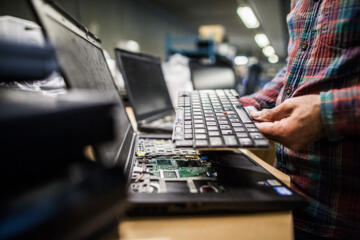
The Used Phone Boom
People are holding onto phones longer now. The average smartphone replacement cycle in the U.S. has stretched past 3 years, according to Counterpoint Research, and used-device sales keep climbing with it. A flagship phone that cost $1,200 two years ago may now sell for $450 in perfectly decent condition.
That sounds attractive until you realize how uneven the secondhand market really is. Some sellers take care of their devices obsessively. Others unload phones with swollen batteries, water damage, aftermarket screens, or carrier locks they “forgot” to mention.
The photos rarely help much.
Sites like Swappa, Back Market, eBay, and Facebook Marketplace all have legitimate deals. They also have listings where the battery drains 25% in an hour and the Face ID stopped working after a bad repair. Buyers who skip basic checks usually discover the problems after the return window closes.
Modern phones hide damage well. That is part of the problem.
Where Buyers Get Burned
A cracked screen is obvious. Internal problems are not. Phones can appear spotless while carrying issues that only show up after 2 or 3 days of use.
Battery wear catches people constantly. Apple considers iPhone batteries below 80% health degraded enough for replacement, yet many used models hover around 77% to 79% because sellers know most buyers never check. Samsung and Google devices hide battery condition more deeply, which makes things trickier.
Carrier locks create another mess. Someone buys a used iPhone 14 for $500, inserts a SIM card, and suddenly learns the device only works on AT&T. Or worse, the phone gets blacklisted weeks later because the original owner stopped paying the financing agreement.
That happens more often than sellers admit.
Then there are repairs. Cheap OLED replacement screens may lower brightness, ruin color accuracy, or disable fingerprint sensors. Water-resistant seals often disappear after unofficial repairs. A phone survives the first rainstorm until it does not...
Software support matters too. A Galaxy S20 still feels fast in 2026, but security updates will not last forever. Buying an older Android device with only 1 remaining year of patches may cost less upfront and create headaches faster.
Checks That Matter
Verify battery health first
Start with the battery because replacing one on newer phones can cost between $69 and $150 depending on the model. On iPhones, open Settings, then Battery, then Battery Health & Charging. Anything below 85% deserves negotiation.
Android phones vary. Samsung hides battery diagnostics inside the Samsung Members app. Pixel devices may need third-party tools like AccuBattery for a fuller estimate.
Low battery health spreads problems everywhere. Random shutdowns, heat buildup, throttled performance, weak camera stability.
A healthy battery changes the experience more than people expect.
Check IMEI and activation locks
Never buy a phone before checking the IMEI number. Dial *#06# or look inside settings to find it. Then run the number through carrier blacklist databases or services like Swappa ESN Check.
If Apple’s Activation Lock or Google’s Factory Reset Protection remains enabled, walk away immediately. A locked device can become a very expensive paperweight in under 10 minutes.
Skip vague seller stories. “I just need to reset it later” usually means trouble.
Inspect screen quality carefully
OLED displays hide damage differently than LCD screens. Lower the brightness to around 15% and open a gray background image. Burn-in from TikTok menus, GPS apps, or keyboards becomes easier to spot there.
Then test touch response around corners and edges. Cheap replacement screens often miss taps near borders or scroll unevenly. On iPhones with Face ID, make sure facial recognition still works. Flood illuminator repairs are expensive.
Screen repairs matter more now.
Test every camera lens
Modern phones may carry 3 or 4 cameras, and sellers sometimes test only the main one. Open every lens individually. Check portrait mode. Zoom. Video stabilization. Autofocus speed.
A damaged ultrawide lens may show blurry corners. Dust inside telephoto modules creates foggy spots under sunlight. If the camera rattles loudly while focusing, stabilization hardware could be failing.
Take 5 test photos minimum.
Look for water damage signs
Water damage indicators exist for a reason. On many iPhones, the Liquid Contact Indicator sits inside the SIM tray and turns red after exposure. Samsung devices have similar internal markers.
Corrosion around charging ports or speaker grills also matters. A phone may work perfectly during a 15-minute meetup and die 2 weeks later after trapped moisture slowly spreads across internal components.
That delay fools people constantly.
Check repair history
Apple now shows replacement-part history directly in iOS settings for newer iPhones. You can see whether the display, battery, or camera came from genuine parts or unknown replacements.
That information changes pricing fast. A used iPhone 13 Pro with original parts and 89% battery health should command more money than one with aftermarket repairs and mismatched components.
Ask direct questions. Good sellers answer them clearly.
Confirm software support
Cheap old phones become expensive when banking apps stop working securely. Apple devices generally receive 5 to 6 years of iOS support. Samsung flagship phones now promise up to 7 years on newer models like the Galaxy S24 lineup.
A Pixel 6 bought today may still have decent runway left. A budget Android from 2020 probably does not. Security patches matter more than cosmetic updates because mobile wallets, password managers, and banking apps depend on them.
Old software ages badly.
Meet in safe places
Police station exchange zones exist for a reason. So do carrier stores and busy coffee shops with Wi-Fi. Public meetup spots reduce scams and also give buyers time to activate the device properly before handing over cash.
Bring your SIM card. Test calls. Test data speeds. Test Face ID or fingerprint unlock. A seller rushing the process usually knows why they are rushing it.
Slow the deal down first. Honest sellers rarely object.
Real Buying Examples
A buyer in Chicago picked up a used iPhone 13 Pro through Facebook Marketplace for $520, roughly $180 below average refurbished pricing at the time. The device looked flawless during pickup. Two days later, Face ID failed. Apple diagnostics showed the screen had been replaced improperly, which damaged the TrueDepth system during repair.
The repair quote came back at nearly $350.
Another example went better. A college student in Phoenix bought a refurbished Galaxy S23 from Back Market with 90% battery health, verified water resistance, and a 12-month warranty. The phone cost $430 instead of $799 new and still received full Samsung security support.
The difference came down to patience. The second buyer checked update timelines, IMEI status, battery diagnostics, and return coverage before paying.
Quick Comparison List
| Check | Good | Bad | Risk |
|---|---|---|---|
| Battery | 90%+ | 79% | Shutdowns |
| Screen | OEM | Ghosting | Touch issues |
| IMEI | Clean | Locked | No service |
| Updates | 3yrs+ | Expired | Security gaps |
Common Buyer Mistakes
The biggest mistake is chasing the absolute cheapest listing. Phones priced 25% below market value usually carry a reason somewhere beneath the surface.
Another problem comes from trusting factory resets too quickly. A seller can wipe the device while leaving financing balances unpaid. Weeks later, carriers may blacklist the IMEI remotely.
That surprise gets brutal.
People also ignore warranty windows. Refurbished marketplaces with 30-day returns and 12-month warranties often cost slightly more than local cash deals, but the protection changes the risk calculation completely.
Then there is cosmetic obsession. Tiny scratches around charging ports matter less than battery wear, overheating, or degraded modem performance. A spotless phone can still carry terrible internals.
Test function before appearance. The reverse order burns buyers constantly.
FAQ
Is buying a used phone safe?
Yes, if you verify the IMEI status, test hardware carefully, and buy from platforms or sellers with return policies. Problems usually happen when buyers rush through inspections or skip activation checks.
What battery health percentage is acceptable?
Most buyers should target 85% or higher. Below 80%, battery replacement becomes likely within months, especially on older flagship devices.
Are refurbished phones better than used phones?
Often yes. Refurbished devices from trusted sellers usually include testing, warranties, and return coverage. Private used-phone sales may cost less but carry more risk.
How do I know if a phone is stolen?
Check the IMEI through blacklist databases and confirm activation locks are removed. Sellers who refuse to share IMEI numbers before meeting should raise concern immediately.
Which phones age best?
Recent iPhones, Google Pixel models, and Samsung flagship phones usually age better because they receive longer software support and retain stronger repair ecosystems.
Author's Insight
I have bought used phones for years, and the deals that worked best never came from rushed purchases. The good sellers answered questions clearly, handed over IMEI numbers without hesitation, and gave me time to test everything properly.
The worst purchases always shared one pattern: I ignored one small warning sign because the price looked too good. A weak battery here. A missing receipt there. Those little details usually connect to bigger problems sitting underneath...
Summary
A used phone can save hundreds of dollars, but only if the device passes a few checks before money changes hands. Battery health, IMEI status, screen quality, repair history, and software support matter far more than shiny photos or seller promises.
Slow the process down. Test every feature you can in person. And if a seller pressures you to decide in 2 minutes beside a parking lot, walk away and keep your cash.