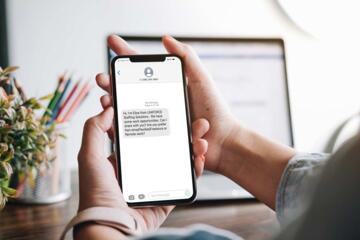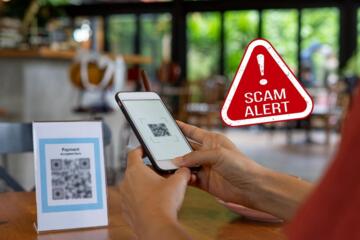
Real bank fraud alerts and scam messages often share the same goal: get you to act quickly. The central difference is not the wording alone, but the verification path—whether the message reliably routes you to your bank through trusted channels, or tries to pull you into a risky action (clicking, logging in via a look‑alike page, or sending money). The better choice depends on your situation and the exact message details; there isn’t a single dominant option that fits every case.
| What to check | Real Bank Fraud Alert | Scam Message |
|---|---|---|
| How you verify | Direct you to confirm via official app/website or a known customer-service number you already have | Pushes you to click a link or call a number provided in the message |
| Requests | Typically asks you to review an account activity and follow bank instructions without asking for passwords | Often requests credentials, one-time codes, remote access, or immediate payment |
| Sender details | Uses channels your bank supports (in-app notifications, registered email/SMS) and consistent branding | May use spoofed sender names, unusual domains, or inconsistent branding |
| Urgency and pressure | May be time-sensitive, but usually provides clear next steps | Relies heavily on fear, threats, or “act now” language to bypass your caution |
| Account specificity | Often references specific transaction details you can confirm in your account | May be vague, generic, or hard to match to real activity |
Important context: Banks vary in how they send alerts (email, SMS, push notifications) and in what they include. Scammers also adapt quickly. Use the checks below as a decision framework rather than a single “yes/no” test.
Object 1: Real Bank Fraud Alert
A real bank fraud alert is a notification from your financial institution indicating suspicious activity or a potentially unauthorized transaction. Depending on the bank, it may arrive via an in-app notification, email, or SMS. In most legitimate cases, the bank expects you to verify the activity using trusted access you control (such as your bank’s app or the official website you reach by typing the address or using a saved bookmark).
If you want a deeper, bank-agnostic checklist for spotting legitimate communications, see how to verify bank alerts safely.
Object 2: Scam Message
A scam message is a fraudulent attempt to trick you into revealing sensitive information or transferring money. These messages may impersonate your bank and claim there is suspicious activity. The scammer’s typical objective is to move you off the safe verification path—by getting you to click a link, call a number that isn’t yours, enter credentials on a fake site, or provide one-time codes.
For a broader view of common fraud tactics and how to respond, read scam message red flags and response steps.
Criterion-by-criterion comparison (what changes in real use)
1) Verification path (most important)
Measurable/practical difference: Real alerts can usually be confirmed by checking your account activity in the official app or by visiting the bank’s website directly. Scam messages often try to make that confirmation harder by directing you to click a link or call a number included in the message.
Why it matters: If you follow the message’s instructions without verifying, you may land on a look‑alike login page or reach a fraudulent call center. Verification via your own trusted route dramatically reduces that risk.
Who benefits: Everyone benefits, but especially people who are busy, traveling, or less familiar with their bank’s normal alert behavior.
Limits: Some legitimate banks do include links in emails or SMS. The key is whether you can verify the same information through your official app or by manually navigating to your bank.
2) Requests for sensitive data
Measurable/practical difference: Legitimate banks generally do not need your password or full credentials to “confirm” fraud. Scams frequently ask for passwords, account details, or one-time verification codes (OTPs) and may request remote access.
Why it matters: Credentials and OTPs are the keys to your account. Even if the message claims to be urgent, providing them can enable immediate account takeover.
Who benefits: Readers who have ever reused passwords or who store credentials on mobile devices should be extra cautious.
Limits: Some banks may ask you to confirm an action inside the app (which is still safe if you’re already authenticated). The risk rises when the message asks you to type credentials into a link or to share OTPs.
3) Sender identity and channel consistency
Measurable/practical difference: Real alerts typically come from channels your bank uses for you (for example, push notifications in the app, or email/SMS to the address/number on file). Scams may use spoofed display names, unfamiliar domains, or inconsistent formatting.
Why it matters: Modern email and SMS systems can be spoofed, but legitimate communications usually align with your established bank contact methods.
Who benefits: People who have previously enabled alerts with their bank and can compare the message style and sender details.
Limits: A scam can still look convincing. Treat sender details as a signal, not proof.
4) Specificity of the alleged activity
Measurable/practical difference: Real fraud alerts often reference transaction details you can confirm (merchant name, amount, time, or location) within your account. Scam messages may be vague or use generic language that doesn’t match your actual activity.
Why it matters: If you can’t find the referenced activity after you verify through your app, the message is likely not legitimate.
Who benefits: Anyone who regularly reviews transactions and can quickly cross-check.
Limits: Some banks may send “suspicious activity” alerts without full details. Conversely, scammers can sometimes guess partial details. Verification still wins.
5) Urgency, threats, and pressure tactics
Measurable/practical difference: Both real and scam messages can be time-sensitive, but scams often intensify urgency with threats like account closure, legal action, or immediate consequences if you don’t act right away.
Why it matters: Pressure reduces your ability to verify. A safe response is to slow down and check through trusted channels.
Who benefits: Readers who tend to respond quickly to “urgent” notifications.
Limits: Legitimate fraud alerts can also be urgent because banks may want you to review activity promptly. Urgency alone is not decisive.
6) Links and call instructions
Measurable/practical difference: Scam messages commonly include links that lead to fake login pages or forms. Real alerts can include links, but the safest approach is to ignore links and verify by opening your bank app or typing the bank’s official address.
Why it matters: Clicking is the highest-risk step. Even if the message is real, clicking can still expose you to phishing if the link is compromised.
Who benefits: Anyone using a mobile device where it’s easy to tap the wrong thing.
Limits: If you already know the bank’s official domain and you’re confident it’s genuine, the risk is lower—but you still need to verify.
7) Outcome after you verify
Measurable/practical difference: If you check your account and the suspicious activity is real, a legitimate fraud alert should align with what you see. If the activity doesn’t exist, or the message asks you to take actions that don’t match your account, treat it as suspicious.
Why it matters: The account itself is the ground truth.
Who benefits: Readers who can access their account through a separate path (app, saved bookmark, or by calling a number from the back of a card).
Limits: Some transactions may be pending or may appear differently depending on the bank’s posting timeline. That can create confusion even with legitimate alerts.
Hidden ownership trade-offs (what you may not realize)
- Alert fatigue vs. safety: Frequent legitimate alerts can train you to skim messages. Scams exploit that habit. Consider reviewing your bank’s alert settings so you receive only the categories you need.
- Convenience vs. verification: Clicking links is convenient, but it bypasses your own verification route. The “hidden cost” of convenience is increased phishing risk.
- Channel lock-in: If you rely on SMS for alerts, you may be more exposed to SIM-swap or SMS interception risks. Using in-app notifications can reduce some exposure, but it depends on your bank’s features.
- Account access during travel: If you can’t access your app (network issues, device changes), you may be tempted to follow the message’s instructions. Plan a safe fallback: keep the bank’s official support number saved from a trusted source.
Situations where the usual recommendation reverses
The usual recommendation is: don’t click; verify via your bank’s official app or website. There are a few edge cases where you might adjust your approach:
- If you are already inside your bank’s app: If the alert is delivered as an in-app notification and you can confirm the details within the app, you may not need to ignore the message. The key is that you’re staying within the authenticated environment.
- If your bank’s official communication explicitly instructs you to use a specific in-app flow: Some banks use secure in-app prompts. Follow the in-app flow rather than external links.
- If you cannot access your app at all: In that case, you should still avoid the message’s link/number. Use a number from the back of your card or from the bank’s official website you reach by manually typing the address.
Questions to answer before choosing how to respond
- Did I receive this through a channel I already use for my bank (app notification, email/SMS to my registered contact)?
- Does the message ask for a password, OTP, remote access, or immediate payment? (If yes, treat as high risk.)
- Can I confirm the alleged transaction details by checking my account activity through the official app or by manually navigating to the bank’s site?
- Am I being pressured to act immediately, without giving time to verify?
- Is the sender domain or phone number unfamiliar or inconsistent with what I’ve seen before?
- Do I have a trusted fallback contact method saved (card number support line, official website address)?
Practical decision steps (safe default)
- Pause and don’t click: Avoid links and attachments in the message.
- Verify independently: Open your bank app or type the bank’s official web address yourself.
- Check for the referenced activity: Look for the merchant, amount, and time window.
- Use trusted contact info: If you must call, use a number from your card or from the bank’s official site—not the message.
- If you already clicked or entered information: Treat it as compromised and contact your bank immediately through a trusted channel.
Conditional verdicts (choose based on your profile)
- Best for simplicity: If you want the lowest-risk approach, always verify through your bank’s official app or by manually navigating to the official website.
- Best for city/commuter life: If you receive many notifications, rely on in-app alerts where possible and ignore external links from unexpected messages.
- Best for long trips or low connectivity: Save your bank’s official support number and practice verifying alerts before you’re under pressure.
- Best for family use: Teach a shared rule: never share OTPs or passwords, and always verify through the app or a trusted number.
- Best for low running costs (time and effort): Use a consistent checklist: verify independently, confirm transaction details, and avoid message-provided links/phone numbers.
Bottom line: the difference between a real bank fraud alert and a scam message is usually less about the alarm itself and more about whether you can confirm it through trusted access you control. When in doubt, verify—don’t react to the message.
Further reading: how to report phishing and fraud attempts and how bank alert settings can reduce false alarms.