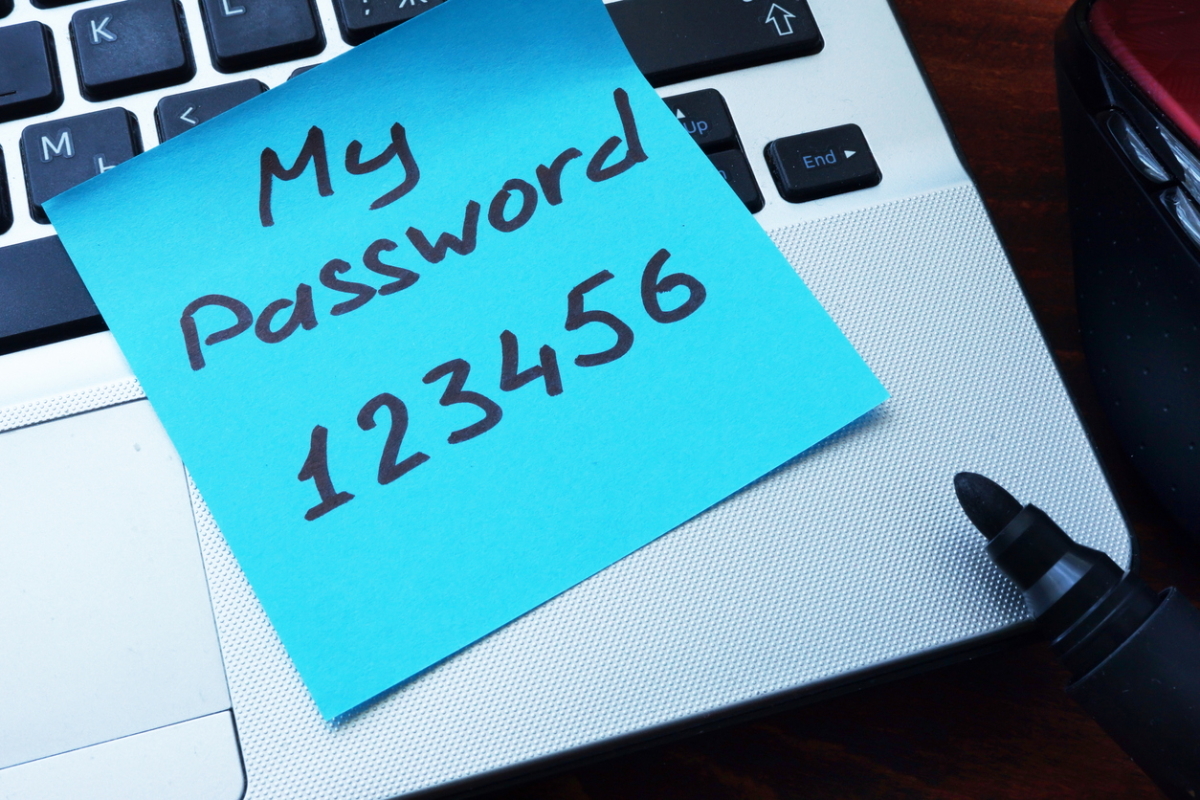
Reusing the same password everywhere turns one leak into many account takeovers. This article is for everyday users who want a safer login setup with realistic trade-offs. The list below is curated using these criteria: security impact (reducing account takeover risk), practicality (time and effort), compatibility (works across common services), and operational burden (how hard it is to maintain).
Comparison (high level):
| Option | Primary benefit | Best for | Main trade-off |
|---|---|---|---|
| Password manager | Unique passwords at scale | Most people | Choosing and securing the manager |
| Unique passwords + strong recovery | Limits breach blast radius | Anyone with multiple accounts | Requires good process |
| Passphrases | Longer, harder-to-guess secrets | Users who prefer memorization | Must be unique and protected |
| Multi-factor authentication (MFA) | Second barrier after password theft | High-value accounts | Setup and backup codes matter |
| Hardware security keys | Phishing-resistant MFA | Security-focused users | Need to keep keys accessible |
| Device-based authentication | Convenient MFA | People using modern phones | Depends on device security |
Note: The “best” choice depends on your account mix, threat model (e.g., phishing vs. credential stuffing), and how much maintenance you’ll actually do. Use the selection framework at the end to match options to your situation.
1) Use a password manager (with unique passwords)
A password manager securely stores credentials and can generate unique passwords for each site. It belongs here because it directly eliminates the core problem: the same password being reused across accounts. It’s best suited for people who have many logins (email, banking, shopping, work, social) and want strong security without memorizing everything. The main limitation is operational: you must protect the manager itself (strong master password, secure device, and recovery options). If the manager is misconfigured or recovery is weak, the risk shifts rather than disappears.
Before choosing, verify: whether it supports the sites you use, whether it offers secure password generation and autofill, how it handles account recovery, and what happens if you lose your device. Also check whether it can store MFA backup codes safely. If you’re already using one, ensure it’s actually generating unique passwords rather than importing duplicates.
2) Switch to unique passwords manually (for a smaller set)
If you only have a handful of accounts, you can replace reuse with unique passwords without immediately adopting a manager. This belongs in the list because it’s a practical stepping stone: even a partial move away from reuse can reduce the blast radius of a breach. It’s best for users who want a quick, controlled change for the most critical services first (email, banking, identity accounts). The trade-off is that manual management is error-prone; you may accidentally reuse or forget which password belongs to which site.
Before acting, check which accounts are most important and which ones support password change and MFA. Use a consistent method for tracking (a secure notes app or a password manager later) and avoid “pattern” passwords that are easy to guess (e.g., adding the same number to each site). Plan a recovery path: if you lose access to email, account resets can become difficult.
3) Create long passphrases instead of short passwords
Passphrases are longer sequences of words or characters that are easier to remember than random strings but still hard to guess. This belongs here because length and uniqueness significantly improve resistance to guessing and many automated attacks. It’s best suited for users who prefer memorization for a few high-value accounts and can commit to using unique passphrases per site. The main limitation is that memorization doesn’t scale well; if you reuse a passphrase across sites, you reintroduce the same blast radius problem.
Before choosing, verify that your target sites accept the length you want and that they don’t restrict to short maximums. Ensure each passphrase is unique per account and not derived from a single template. Consider combining this with MFA for critical accounts, since a stolen passphrase still enables login attempts.
4) Turn on multi-factor authentication (MFA) for every important account
MFA adds a second verification step beyond the password, reducing account takeover even if credentials leak. It belongs here because it directly mitigates the consequences of password reuse: attackers may still obtain the password, but they often can’t complete the second factor. It’s best for email, banking, cloud storage, and any account that can reset other accounts. The trade-off is usability and recovery: if you lose access to your second factor, you may be locked out.
Before enabling, check what MFA methods are offered (authenticator app, SMS, email-based codes, security keys) and choose the strongest available option you can use reliably. Confirm you can access backup codes and that you know the account’s recovery process. Also verify whether the service supports “MFA for login” vs. “MFA for sensitive changes,” since both matter.
5) Prefer authenticator apps over SMS when available
Authenticator apps generate time-based or event-based codes on your device, providing MFA without relying on phone carrier messaging. This belongs here because it can reduce certain weaknesses associated with SMS interception and SIM swap scenarios. It’s best for users who want stronger MFA than SMS and can keep their phone secure. The main limitation is device dependency: if you lose your phone or it’s compromised, you need recovery options.
Before choosing, verify that the service supports authenticator apps (often via QR setup) and that you can export or back up the authenticator where supported. Confirm the account provides backup codes and that you can access them. If you use multiple devices, check whether codes sync or whether you need separate setup per device.
6) Use hardware security keys for phishing-resistant MFA
Hardware security keys are physical devices that authenticate you using cryptographic challenges, often resistant to phishing. This belongs here because it addresses a common real-world threat: attackers trick users into entering passwords and codes on fake login pages. It’s best for people who want high assurance for email and other high-value accounts and who are comfortable carrying keys. The trade-off is logistics—keys can be lost, damaged, or forgotten at home.
Before adopting, verify compatibility with your accounts and browsers, and confirm the key supports the authentication standards the service uses. Set up at least two keys if the service allows, and store one securely. Also check what the provider’s recovery process is if you lose all keys.
7) Use passkeys (where supported) instead of passwords
Passkeys replace traditional passwords with cryptographic authentication tied to your device or account. This belongs here because it can eliminate password reuse entirely for participating services and can reduce phishing success rates when implemented correctly. It’s best for users who have modern devices and want a smoother login experience across apps and websites that support passkeys. The main limitation is ecosystem and recovery: if you lose access to the device or account, recovery paths must be clear.
Before choosing, verify that the service supports passkeys and that you can create multiple passkeys across devices. Check whether the provider supports account recovery and whether you can add a new passkey if you change phones. Treat passkeys as part of your security posture: keep your device locked, updated, and protected with strong authentication.
8) Apply “unique password + strong recovery” to email first
Email is often the gateway to password resets for other accounts. This belongs here because improving email security can reduce the damage of credential reuse elsewhere, even if you haven’t fully fixed every account yet. It’s best for anyone who wants a high-leverage starting point: change the email password to be unique and enable MFA on the email account. The trade-off is that email recovery settings can be complex; if you misconfigure recovery, you can lock yourself out.
Before acting, verify your email provider’s recovery options (backup codes, trusted devices, recovery email/phone). Ensure MFA is enabled and that you can access the second factor. Then update the email password to be unique and not derived from other passwords you’ve used.
See a practical checklist for securing your email account
9) Use separate accounts or “login boundaries” for different roles
Instead of one account identity for everything, you can create boundaries: use different email addresses (or separate identity profiles) for work, personal, and high-risk services. This belongs here because it limits how far a compromise can spread when passwords or recovery channels overlap. It’s best for users who manage distinct life areas and can tolerate extra account management. The main limitation is that it can become messy if services don’t support changing email addresses easily.
Before choosing, verify whether you can change the email on key services and whether you can migrate subscriptions or access. Plan which boundary is most important (often personal vs. work, or primary email vs. secondary). Also ensure each boundary’s email has unique passwords and MFA, since the boundary only helps if recovery channels are protected.
10) Avoid password reuse patterns and “credential stuffing” exposure
Even with unique passwords, some users create predictable variations (e.g., “Password!2026” across sites). This belongs here because it reduces the chance that attackers can guess your passwords using leaked patterns. It’s best for users who currently reuse passwords or use templated variants and want a safer transition. The trade-off is that you must replace patterns with truly unique secrets, which can be harder without a manager.
Before acting, audit your password habits: look for shared prefixes/suffixes, repeated numbers, or the same word with minor changes. If you find patterns, prioritize replacing passwords on accounts most likely to be targeted (email, banking, identity, and any account with financial or personal data). Use a password manager or a generator to create non-patterned passwords rather than trying to “invent” them manually.
11) Keep MFA and recovery codes in a secure, offline-safe place
Backup codes and recovery information are often the difference between regaining access and being permanently locked out. This belongs here because many “safer login” setups fail in practice due to missing recovery steps, especially after phone loss or account changes. It’s best for anyone enabling MFA or passkeys who wants to avoid downtime. The main limitation is that storing codes insecurely (screenshots in cloud folders, unencrypted notes) can negate the security benefit.
Before choosing a storage method, verify that it’s protected against unauthorized access and that you can retrieve it when needed. Consider a secure offline method appropriate to your environment (e.g., encrypted storage or a physical secure location). Also verify whether the provider allows regenerating codes and how that affects existing codes.
12) Monitor for breaches and rotate credentials selectively
When you learn that a service you use has been breached, you can rotate passwords for affected accounts—especially if you suspect reuse. This belongs here because it’s a practical maintenance approach that complements stronger authentication. It’s best for users who want a process rather than constant changes. The trade-off is that breach notifications can be delayed or incomplete, and rotating everywhere can be burdensome.
Before acting, verify what the notification actually indicates (which accounts were impacted, whether passwords were exposed, and whether you should reset). Prioritize accounts that share recovery channels (email, identity services) and those where you used the same password. If you use MFA, focus on preventing account takeover rather than making frequent changes without cause.
Learn how to respond to a suspected credential breach
Practical selection framework (choose based on your constraints)
If you want the biggest risk reduction with the least ongoing effort: start with a password manager plus unique passwords, then enable MFA on email and other high-value accounts.
If you’re worried about phishing: prioritize hardware security keys or passkeys where supported, and use authenticator apps instead of SMS when possible.
If you have limited time or accounts are few: switch the most critical accounts to unique passwords first (especially email), then add MFA and store backup codes securely.
If you’re concerned about lockout: invest time in recovery setup (backup codes, trusted devices, and passkey/device management) before relying on MFA.
If you’re transitioning from patterned passwords: replace them with generated unique secrets and avoid “small variations” across sites.
Whichever path you choose, the common thread is to stop treating one password as a universal key. Combine unique credentials with strong second factors and reliable recovery so that a single breach doesn’t become a full account takeover.