What Matters First
Laptop shopping for students usually starts in the wrong place. People compare processors before thinking about how the device will actually be used across a 12-hour day. A student in lectures, libraries, and late-night study sessions needs endurance more than raw speed.
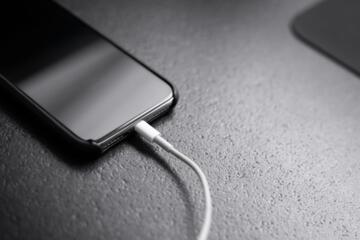
Battery life below 7 hours creates constant charging anxiety. Many modern student laptops now advertise 10–14 hours, but real-world use often drops that by 20–30%. A device rated for 12 hours may realistically last closer to 8 or 9 under mixed tasks like browsing, video calls, and document editing.
Weight matters more than people expect. A 1.3 kg laptop feels fine on paper until it sits in a backpack next to textbooks and cables for 5 days straight.
Some specs lie quietly.
Storage speed affects everything from boot time to opening lecture slides. A slow hard drive can make even a decent processor feel outdated within weeks.
Common Mistakes
Most buyers overspend on performance they never use. A student in humanities rarely needs a high-end GPU, yet many end up with gaming laptops that weigh nearly 2.5 kg and last 4 hours unplugged.
Another mistake is ignoring repairability. Some ultrathin models have soldered RAM and storage, which means upgrades are impossible. Once the device slows down, replacement becomes the only option.
People also underestimate heat. Thin laptops often throttle performance under sustained load, especially during video calls or coding sessions.
Then there is storage confusion. 256 GB sounds fine until you install Zoom, Office apps, PDFs, and project files. Cloud storage helps, but offline access still matters during exams or travel.
One more issue: buying without checking school software requirements. Engineering and design courses often require Windows-only tools or specific CPU instructions that Chromebooks cannot handle.
How To Choose
Pick battery over power
A student laptop with an efficient chip like Intel U-series or Apple M1/M2-class processors usually outperforms heavier systems in real use. These chips balance performance and energy draw, often stretching battery life beyond 10 hours.
Long lectures punish weak batteries faster than weak CPUs.
Aim for 16GB RAM
Modern browsers eat memory aggressively. With 8GB RAM, 15 tabs plus a video call can slow the system noticeably. 16GB creates breathing room for multitasking, especially during research-heavy semesters.
Future-proofing matters here.
Choose SSD storage only
Solid State Drives reduce boot time from minutes to seconds. A 256GB SSD is the minimum baseline, while 512GB works better for students handling media files, programming environments, or offline lecture downloads.
HDDs should be avoided entirely.
Prefer 1.2–1.5 kg weight
Light laptops reduce daily fatigue. Carrying a 2.2 kg machine across campus for 6 days a week becomes noticeable strain, especially with books and accessories.
Mobility beats specs.
Check keyboard quality
Typing comfort directly affects productivity. Students often underestimate this until assignment season begins. A shallow keyboard with poor spacing slows down writing speed and increases errors.
Try before buying if possible.
Look at port variety
USB-C only laptops require adapters for HDMI, USB-A, or SD cards. That creates friction during presentations or lab work. A mix of ports reduces dependency on dongles that get lost easily.
Less adapters, fewer problems.
Avoid overpowered GPUs
Dedicated graphics cards increase weight, heat, and cost. Unless a student works in 3D design, architecture, or gaming development, integrated graphics handle most academic tasks efficiently.
Extra power drains battery faster.
Real Student Setups
A university student in Berlin studying business switched from a gaming laptop to a 1.3 kg ultrabook with 16GB RAM and 512GB SSD. Battery life improved from 4.5 hours to 11 hours. Daily charging dropped from twice to once, saving roughly 1.5 hours per day previously spent near outlets.
Another case involves an engineering student using a mid-range Windows laptop with integrated graphics instead of a high-end GPU model. The lighter system reduced commute strain and extended battery life by 3–4 hours. Performance stayed stable for coding and simulation software used in coursework.
Both cases show the same pattern: less hardware weight, more usable time.
Spec Comparison Table
| Type | Battery | Weight | Use Case |
|---|---|---|---|
| Chromebook | 10–12h | 1.1kg | Web study |
| Ultrabook | 9–14h | 1.3kg | All-round |
| Gaming | 3–6h | 2.3kg | Heavy apps |
Buying Errors To Avoid
Students often buy based on marketing labels instead of workload reality. “Gaming-ready” sounds impressive until the laptop overheats during a lecture recording session.
Another frequent error is ignoring return policies. Some stores offer 14–30 day return windows, which allow real-world testing in classes and libraries. Skipping this removes the safest evaluation period.
People also forget about software ecosystem lock-in. A MacBook integrates smoothly with iPhones and iPads, while Windows machines align better with most engineering and enterprise tools.
Then there is timing.
Buying during academic sales seasons can reduce cost by 10–25%, especially around back-to-school periods in late summer.
Waiting for “perfect specs” delays decisions unnecessarily.
FAQ
Is a Chromebook enough for university?
Yes, for writing, browsing, and cloud-based tools. It is not suitable for heavy software like engineering suites, advanced coding environments, or offline video editing.
How much RAM do students need?
8GB works for basic tasks, but 16GB is safer for multitasking, research-heavy courses, and long-term use without slowdowns.
Is Mac or Windows better for students?
Mac is strong for battery life and portability. Windows offers broader compatibility with specialized academic software. The choice depends on course requirements.
Do students need dedicated graphics?
Only for design, architecture, animation, or gaming development. Most academic tasks run well on integrated graphics.
What screen size is best?
13 to 14 inches balances portability and usability. Larger screens improve visibility but add weight and reduce battery efficiency.
Author's Insight
I have seen students regret two types of purchases: the cheapest option and the overbuilt one. The middle path usually lasts longer than expected because it avoids both battery anxiety and unnecessary weight.
A laptop that survives an entire study day without charging changes how work gets done. Everything else becomes secondary...
Summary
Student laptops should prioritize battery life, portability, and SSD performance over raw power. Most academic users do not need dedicated GPUs or extreme processors. A balanced configuration with 16GB RAM, 256–512GB SSD, and lightweight design covers nearly all study scenarios.
Focus on daily usability, not spec sheets. The right machine disappears into the background while work gets done.